How to Choose the Right Microphone for Gaming, Streaming, and Podcasting
Published on February 6, 2026
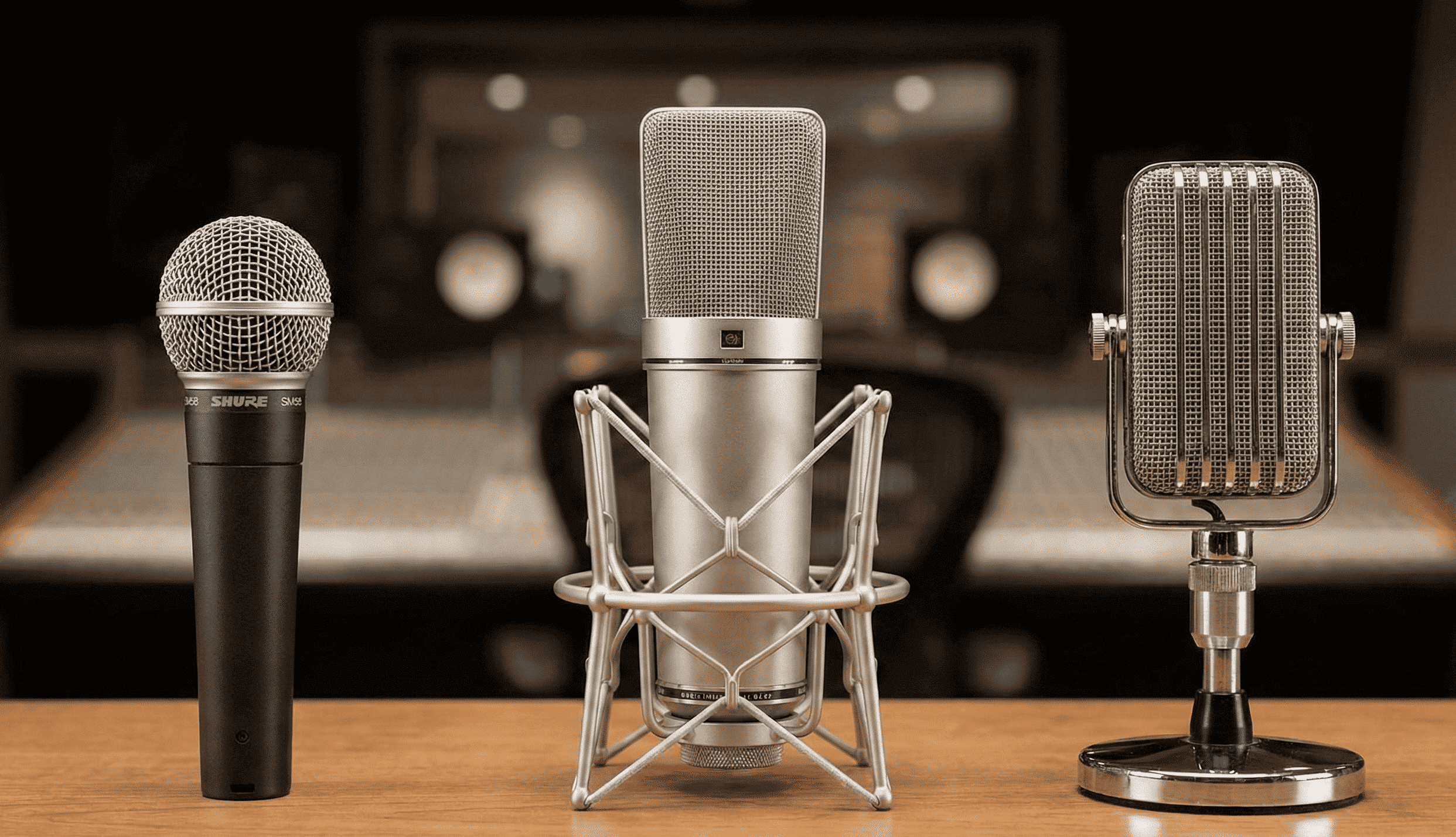
In today's digital world, a high-quality microphone can make all the difference whether you're trash-talking in a multiplayer game, engaging your audience during a live stream, or recording crystal-clear episodes for your podcast. But with so many options available, how do you pick the right one?
This comprehensive guide will help you navigate the microphone landscape for various purposes, including gaming, streaming, podcasting, singing, and general PC use. We'll break down the key types of microphones condenser, dynamic, lavalier, and USB along with their pros and cons. Plus, we'll share buying tips for headset microphones, studio microphones, wireless microphones, and budget-friendly options.
Table of Contents
Understanding Microphone Types: Condenser, Dynamic, Lavalier, and USB
Before diving into specific uses, it's essential to understand the main microphone categories. Each type has unique characteristics that make it suitable for different scenarios.
Condenser Microphones
Condenser microphones use a capacitor to convert sound waves into electrical signals, making them highly sensitive and ideal for capturing nuanced audio.
- Pros: Excellent for detailed sound reproduction, wide frequency response, and high clarity perfect for vocals or instruments. They're often the go-to as the "best microphone for vocals" in recording setups.
- Cons: Sensitive to background noise, require phantom power (usually 48V), and can be more expensive. They're not as durable in harsh environments.
Dynamic Microphones
Dynamic mics rely on a diaphragm attached to a coil that moves within a magnetic field to produce sound. They're rugged and versatile.
- Pros: Great at handling high sound pressure levels (SPL), reject background noise well, and don't need external power. They're affordable and durable, making them a solid "studio microphone" choice for live performances or noisy settings.
- Cons: Less sensitive to subtle details, narrower frequency range compared to condensers, and can sound "muddier" for delicate recordings.
Lavalier Microphones
Also known as lapel mics, these are small, clip-on devices designed for hands-free use.
- Pros: Discreet and portable, excellent for presentations, interviews, or video content where mobility is key. They provide consistent audio without holding a mic.
- Cons: Limited bass response, can pick up clothing rustle, and often require a transmitter or adapter for wireless operation. Not ideal for high-fidelity music recording.
USB Microphones
USB mics connect directly to your computer via USB, bypassing the need for an audio interface. They're essentially plug-and-play versions of condenser or dynamic mics.
- Pros: Easy setup, no additional gear required, and often include built-in headphone jacks for monitoring. A "USB microphone for podcasting" is popular due to its simplicity and good quality for beginners.
- Cons: Limited compatibility with professional setups, potential latency issues, and lower build quality in budget models. They might not scale well for advanced users.
Best Microphone for Gaming
For gaming, you need a mic that captures clear voice chat without picking up keyboard clacks or fan noise. A "good microphone for gaming" should prioritize noise rejection and comfort.
- Recommendations: Opt for dynamic or USB mics with cardioid polar patterns (which focus on sound from the front). Headset microphones like the HyperX Cloud II or standalone USB options like the Blue Yeti Nano work well.
- Key Features: Boom arms for positioning, mute buttons, and RGB lighting for that gamer aesthetic.
Microphones for Streaming
Streaming demands versatility handling commentary, audience interaction, and background music. Look for mics that deliver broadcast-quality audio.
- Recommendations: Condenser USB mics like the Elgato Wave:3 or dynamic options like the Shure SM7B (with an interface). These provide rich sound for Twitch or YouTube streams.
- Key Features: Low self-noise, adjustable gain, and integration with streaming software like OBS.
USB Microphone for Podcasting
Podcasting requires consistent, professional-grade voice recording, often in a home setup. A "USB microphone for podcasting" is ideal for solo hosts or small teams.
- Recommendations: The Audio-Technica AT2020USB+ (condenser) or Rode NT-USB Mini. For multi-person setups, consider lavalier mics for guests.
- Key Features: Built-in pop filters, shock mounts, and easy USB connectivity to avoid complex setups.
Best Microphone for Vocals (Singing)
Singing calls for the "best microphone for vocals" that captures tone, dynamics, and emotion accurately. Condensers excel here for studio-like quality.
- Recommendations: The Neumann TLM 102 (condenser) for pros or the affordable Audio-Technica AT2035. Dynamic mics like the Shure Beta 58A suit live singing.
- Key Features: High SPL handling for loud performances and a flat frequency response to avoid coloration.
Microphones for General PC Use
For video calls, voiceovers, or casual recording, prioritize affordability and ease.
- Recommendations: Budget USB mics like the Fifine K669B or integrated headset mics. These handle Zoom meetings or basic content creation without fuss.
- Key Features: Plug-and-play compatibility and decent noise cancellation for everyday multitasking.
Buying Tips for Different Microphone Styles
Shopping for a microphone? Here are targeted tips for popular categories to help you make an informed purchase.
Headset Microphones
Headsets combine headphones and a mic for immersive use in gaming or calls. Look for noise-canceling mics, comfortable padding, and detachable cables. Budget options under $50 like the Logitech G432 offer great value. Test for sidetone (hearing your own voice) to avoid shouting.
Studio Microphones
A "studio microphone" is built for controlled environments like home recording booths. Invest in condensers or dynamics with XLR connections for better quality. Brands like Rode or AKG provide reliable options. Check for included accessories like mounts, and read reviews for frequency response curves.
Wireless Microphones
Wireless mics offer freedom from cables, perfect for performers or mobile podcasters. Choose UHF or 2.4GHz systems for reliability, with at least 100 feet of range. The Sennheiser XSW series is user-friendly. Ensure low latency (<5ms) and rechargeable batteries.
Budget-Friendly Options
You don't need to break the bank for decent audio. Aim for under $50 mics like the Amazon Basics USB model or Tonor TC-777. Prioritize USB for simplicity, and check compatibility with your OS. Read user reviews on sites like Amazon for real-world performance, and avoid no-name brands with poor build quality.
Actionable Advice to Improve Your Mic Setup
Even the best microphone won't shine without proper setup. Here are practical steps to elevate your audio:
- Use a Microphone Stand or Boom Arm: Desk stands reduce vibrations from typing or movement. A flexible boom arm (like the Neewer NW-35) positions the mic 6-8 inches from your mouth for optimal pickup. Secure it to avoid sagging.
- Add a Pop Filter: This mesh screen blocks plosives (like "P" sounds) that cause distortion. Clip-on filters cost under $10 and attach easily to your stand. Position it 2-3 inches from the mic.
- Choose the Right Cables: For XLR mics, use shielded cables (10-20 feet) to minimize interference. USB mics need high-quality USB-A or USB-C cables for stable connections. Avoid cheap extenders that introduce noise.
- Incorporate a Shock Mount: This isolates the mic from desk knocks. Most studio mics come with one, but budget add-ons like the InnoGear MU-38 work wonders.
- Optimize Your Room: Place foam panels or blankets to reduce echo. Use software like Voicemeeter for real-time noise gating and EQ adjustments.
- Test and Monitor: Record samples in your software (e.g., Audacity) and listen back with headphones. Adjust gain to avoid clipping, and enable monitoring to hear yourself live.
Ready to test your current mic?
Before upgrading, check exactly how your current microphone sounds with our free tool.
Test My Mic Now